Reckon vs MYOB is not a universal winner-and-loser decision for an Australian business. Reckon may suit a business that wants a clearly bounded payroll option, while MYOB may suit one that wants its payroll, document and bank-reconciliation workflow in the MYOB environment. Compare the work your team performs, the people who need access and the records you must preserve. If finance staff are reconciling operations in separate systems, it may be time to assess ERP rather than simply change accounting subscriptions.
This post contains affiliate links: if you buy through them, SyncBricks may earn a commission at no extra cost to you.
What should you compare in Reckon vs MYOB?
Start with the job, not the brand. Both vendors have products and plan structures that change over time, so a headline subscription is not enough evidence for a purchasing decision. A finance manager needs to know what is included for payroll, transaction processing, employee access, document handling and adviser collaboration. Operations also needs to know where inventory, job information, approvals and customer service records will live.
Use a written requirements sheet before opening trials or speaking with a vendor. Keep it short, but specific enough for finance, payroll, operations and the business owner to agree on what matters.
| Comparison area | Questions to answer | Why it changes the decision |
|---|---|---|
| Core workflow | Which transactions, invoices, bills and reconciliations are completed each week? | A product should support the actual close process, not a generic feature list. |
| Payroll | How many employees need to be paid, and do they need timesheets, leave or expense claims? | Employee limits and payroll features vary by plan. |
| Compliance workflow | Who reviews tax, superannuation and reporting steps? | Software can assist a workflow, but accountability stays with the employer and adviser. |
| Access | Which staff, accountant or bookkeeper needs to see or approve information? | Access needs influence controls and the handover of work. |
| Data and transition | What history must remain accessible and what has to move? | A rushed change can disrupt reporting and create a difficult reconciliation. |
| Growth | Are inventory, projects, purchasing or multiple locations already being managed elsewhere? | Separate operational systems can create repeated data entry and weak reporting. |
The important outcome is a system that lets people complete the priority workflow with a clear review trail. Ask each vendor to show the same scenarios: a supplier bill, a customer invoice, a bank transaction to match, a payroll run and an exception that needs review. Record what is included in the proposed plan and what needs another product, process or implementation step.
For businesses also evaluating an alternative accounting platform, Xero is an accounting software option worth putting through the same requirements sheet, rather than treating a three-way comparison as a brand popularity contest.
How do Reckon and MYOB compare for payroll?
The clearest current vendor information available for a like-for-like comparison is payroll. Reckon's Payroll Essentials page says it is for businesses with up to four employees. It lists pay runs, emailed payslips, calculation of employee superannuation, leave and entitlement tracking, Reckon Mate for employee self-onboarding and access to pay information, and preparation and sending of STP Phase 2 information to the ATO.
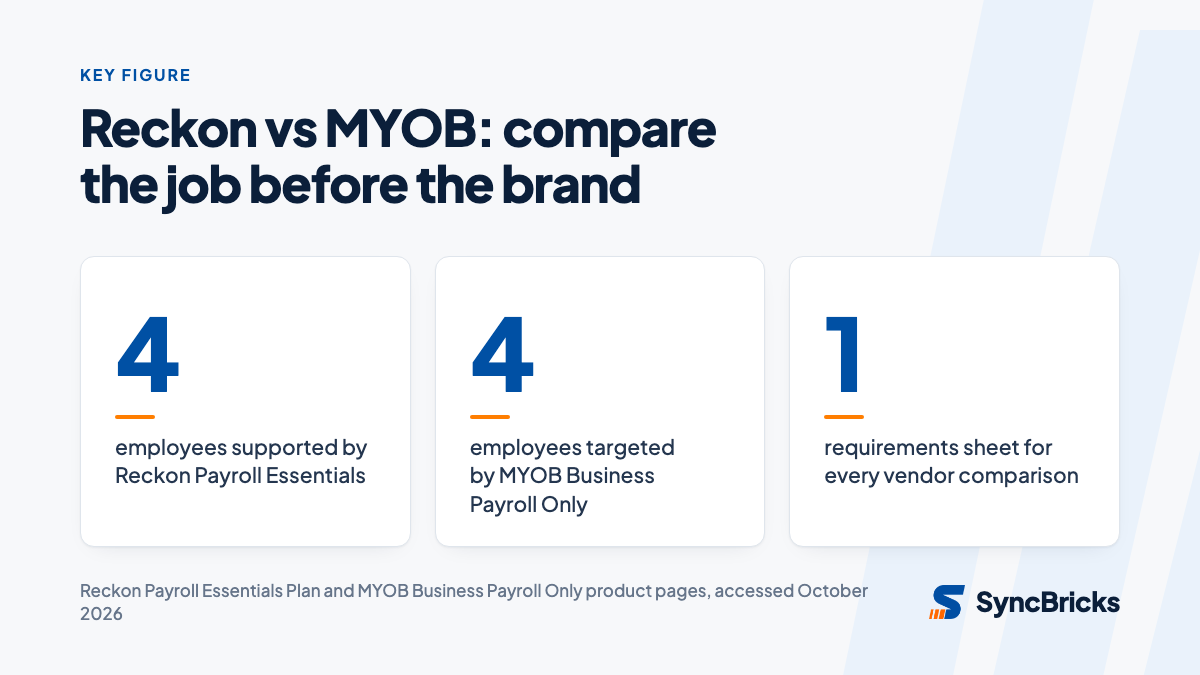
MYOB's Payroll Only page also positions its product for up to four employees. MYOB says the product calculates tax, leave and superannuation, supports employee onboarding, and can generate and send STP reports to the ATO. It describes a four-step pay run and says the product is web-based. Those statements do not make the products identical. They are a prompt to test the workflow that your payroll officer actually performs.
| Payroll question | Reckon documentation | MYOB documentation | What to verify in a demonstration |
|---|---|---|---|
| Small-team scope | Payroll Essentials supports up to four employees. | Payroll Only is for up to four employees. | Confirm the current plan and how a fifth employee changes the workflow and cost. |
| Pay run tasks | Pay runs, payslips, super calculation, leave and entitlements are listed. | Tax, superannuation, annual leave and overtime calculations are described. | Run a normal pay cycle and one irregular pay scenario. |
| Employee input | Reckon Mate is described for self-onboarding and access to payslips, pay history and leave balances. | MYOB describes an online form for staff bank, tax and super details. | Check what staff can submit, who approves it and what audit trail remains. |
| Reporting | Reckon states its plan can prepare and send STP Phase 2 information. | MYOB states it can generate and send STP reports directly to the ATO. | Confirm the business's reporting configuration with its payroll adviser. |
Reckon also documents a Payroll Premium plan with unlimited employees, timesheets, pay templates and employee expense claims. Its page says eligible paid Payroll Premium subscriptions include free migration of one year of payroll history plus year-to-date data, generally completed within three to five business days after required information is submitted. Treat that as a vendor-described service, not a substitute for your own data validation and cutover plan.
MYOB's October 2026 release notes describe changes in MYOB Business and AccountRight browser, including clearer balances due during bank matching and search, filter and sort options for uploaded purchase documents. They also say MYOB's online payment surcharging options were removed from 1 October 2026 and state a changed online-payment fee. Those details matter only if they match the payments and document workflow you intend to use. They are not a reason by themselves to select the platform.
What do the current payroll offers cost?
Prices and introductory promotions change, so use them as a current checkpoint rather than a long-term forecast. As listed on the vendors' pages in October 2026, Reckon Payroll Essentials was advertised at $1 for the first six months, then $16 per month. Reckon Payroll Premium was advertised at $1 for the first six months, then $60 per month. MYOB Business Payroll Only was advertised at $2 per month for three months, then $15 per month.
| Product page | Listed scope | Offer shown on vendor page in October 2026 |
|---|---|---|
| Reckon Payroll Essentials | Up to four employees | $1 for the first six months, then $16 per month |
| Reckon Payroll Premium | Unlimited employees | $1 for the first six months, then $60 per month |
| MYOB Business Payroll Only | Up to four employees | $2 per month for three months, then $15 per month |
These are payroll product offers, not a complete comparison of every accounting plan offered by either vendor. Before approving a subscription, check the live Reckon plan information and MYOB Payroll Only plan information, whether tax applies, the offer end date, included services and any requirements that apply to your business.
Do not make a decision based only on the first discounted period. Model the ordinary subscription, the work that remains manual, implementation effort, adviser time and the cost of a later move if the platform no longer supports the process.
Which platform fits your business workflow?
Reckon is worth closer consideration when a business wants the documented Payroll Essentials scope for a team of up to four, or a payroll path that can move to a plan with a larger employee allowance. Its Premium documentation may be relevant where timesheets, pay templates and employee expense claims are part of payroll administration.
MYOB is worth closer consideration when the team wants the documented Payroll Only workflow, including its employee onboarding form and direct STP reporting, or where it already uses MYOB Business or AccountRight browser. MYOB's current release notes also show ongoing work in bank matching and uploaded purchase-document handling. Confirm that the exact product and plan you are buying includes the functions you saw in a demonstration.
Neither conclusion means a business should choose software without an adviser review. An accountant or BAS adviser can help validate the ledger, reporting and payroll configuration. Your internal team should still own the choice of approvals, responsibilities, data retention and day-to-day process.
A sensible selection sequence is:
- Map the current invoice-to-bank, purchase-to-payment and payroll processes, including exceptions.
- Identify the fields and history that must remain available after a change.
- Give both vendors the same written scenarios and user requirements.
- Run those scenarios in a trial or vendor demonstration with the person who performs the work.
- Reconcile a sample of opening balances and open transactions before committing to migration.
- Agree on the cutover date, payroll timing, support contacts and a fallback plan.
When is accounting software no longer enough?
Accounting software can be the right answer for a small, relatively straightforward finance workflow. The question changes when teams repeatedly copy data between finance, inventory, purchasing, projects, service delivery or separate locations. That is a business-process issue before it is a software issue.
Warning signs include stock or job information being kept outside the financial system, managers relying on spreadsheets to understand margin, approvals happening in inboxes without a reliable record, or the finance team doing large manual reconciliations to produce a management report. In that position, changing from Reckon to MYOB, or vice versa, may relieve one pain while leaving the wider workflow disconnected.
An ERP assessment should begin with the processes that need one source of truth. Read our guide to moving from MYOB, Reckon or Xero to ERP for the questions to ask before a migration. For a broader view of how operational and finance systems connect, see our article on ERP integration with Xero, CRM and ecommerce.
The next step is not necessarily a large implementation. It may be a staged plan that defines the first processes, records, integrations and controls to improve. A vendor-neutral comparison helps separate what should remain in accounting software from what genuinely needs a broader platform.
Get help choosing the right financial platform
Reckon vs MYOB should be decided by the work your Australian business needs to perform, not by a temporary promotion or a generic feature list. Compare the current plan terms, test your most important scenarios, involve your adviser and document the data transition before you sign.
If your accounting choice is also tied to inventory, projects, purchasing or multi-team reporting, SyncBricks' ERP selection service can help map requirements and evaluate options against the processes that matter. The goal is a practical finance and operations platform your team can run with confidence.