An ERP pricing comparison should compare the cost of delivering a working business process, not just the software subscription. For an Australian business, put licences, implementation scope, data migration, integrations, training, support and record access on the same sheet before choosing a vendor. The cheapest headline proposal can become the costliest option if essential work is excluded or assumptions are unresolved.
The cost categories to compare
ERP proposals are difficult to compare because they bundle different things. One may show an attractive subscription price but exclude migration or training. Another may include more services but use a different definition of delivery. Do not seek one universal ERP price. Make every supplier price the same business outcome and make the differences visible.
| Cost category | What to ask each supplier | Why it matters |
|---|---|---|
| Software licences | Which user types are included, what access does each receive, and what billing commitment applies? | Licence models can make similar totals materially different. |
| Implementation | Which processes, entities, locations and modules are in scope? | A vague scope makes it hard to know what the service work will deliver. |
| Data migration | Which records move, who cleans them, and how are they validated? | People need to trust opening data. |
| Integrations | Which systems connect, what data moves, and who owns testing? | Integration work is often specific to the business. |
| Configuration and extensions | Which requirements use standard configuration and which need custom work? | This separates a fit-to-standard rollout from additional design and build. |
| Training and change | Which roles receive training, in what format, and what material is included? | A technically ready system still needs prepared users. |
| Support after go-live | What support period is included, excluded, or separately charged? | The handover to operations should be explicit. |
Ask for every row to be marked included, excluded, allowance, or dependent on discovery. An allowance is not a fixed promise, and a dependency is not a minor footnote. Both deserve a question before signing.
Also account for internal effort. A supplier may own configuration, while finance, operations and IT still need to make decisions, prepare data, test scenarios and approve results. Put people and time for those responsibilities into the project plan instead of treating them as free.
Licence models and user roles
Cloud ERP products commonly use recurring licences with different levels of access. The right comparison therefore begins with roles and required tasks, not simply a staff list. Identify who enters sales orders, approves workflows, needs financial reporting, or needs read-only information. Those answers shape the licence mix.
Microsoft's Australian pricing page shows why the detail matters. As listed by Microsoft in October 2026, Dynamics 365 Business Central Essentials is AU$119.70 per user per month, paid yearly, and Premium is AU$164.60 per user per month, paid yearly. Team Members is AU$12.00 per user per month, paid yearly. Microsoft says the displayed prices exclude GST. Check Microsoft's current Business Central pricing before relying on a figure, because vendor pricing and terms can change.
The comparison is not simply whether one plan has a lower monthly amount. It is whether it contains the capabilities the process needs and whether each person has the appropriate access. Microsoft describes Essentials as covering finance, sales and operations, while Premium adds service management and manufacturing capabilities. A business that needs manufacturing or service workflows should not compare Premium against an Essentials-only proposal as though they deliver the same outcome.
Build a role-based licence schedule:
- List the job roles that will work in the ERP.
- Write the tasks each role must complete, approve, view or report on.
- Match those tasks to the vendor's documented licence rights.
- Record the billing term, GST treatment and stated add-ons separately.
- Recheck the schedule when the design changes and before the contract is final.
Do not fill an uncertain gap with an assumed licence. Ask the vendor or implementation partner to identify the applicable user type in writing.
Implementation scope and statement of work
An implementation quote should read like a delivery plan, not a list of generic activities. It needs enough detail for a buyer to understand what will be configured, tested and provided by the business.
Microsoft documentation illustrates the breadth that can be under consideration. Business Central describes functions across finance, sales, purchasing, inventory, project management, fixed assets, planning, assembly, manufacturing, warehouse management and service management. Not every business needs every area. That is why scope should name the processes that matter to your business rather than relying on a product name alone.
Review a statement of work for these items:
- Process scope: named workflows, including exceptions and approval points.
- Organisation scope: entities, sites, warehouses or business units covered.
- Data scope: master data, opening balances, open transactions and agreed history.
- Integration scope: every source and destination, direction, frequency, error handling and owner.
- Configuration and extensions: standard functions versus separate design or build.
- Testing: scenarios, test data, defect responsibilities and acceptance criteria.
- Training: audiences, sessions, training environment and reference materials.
- Go-live: cutover tasks, contingency plan, data sign-off and immediate support.
- Assumptions and exclusions: everything the proposal relies on but does not deliver.
Ask suppliers how they manage change requests. A project will uncover decisions as people test actual workflows. A clear process for documenting a change, estimating its impact and approving it helps the business decide deliberately rather than finding an extra cost after work has begun.
For a vendor-neutral way to turn requirements into a shortlist and comparable scope, see SyncBricks' ERP selection service. After a decision, a properly scoped ERP implementation plan gives the project a stronger start.
Record-keeping and data transition
Data migration and access are commercial issues as well as technical ones. The Australian Taxation Office says businesses are legally required to keep records related to tax, superannuation and registration affairs. It says most records need to be kept for five years and that businesses need to be able to reconstruct original data if their record-keeping system changes.
Include these data questions in the comparison:
- What remains accessible in the old system after go-live?
- What is migrated, and how is it reconciled to the previous system?
- Can records be exported in a usable format if the system changes later?
- Who holds documentation, credentials and retrieval procedures?
- How will the business show migrated information is complete and understandable?
The ATO also says digitally stored data must be identifiable, labelled or indexed, and that a business needs to be able to provide access information when requested. These requirements do not select an ERP, but they should influence the data and transition work you fund. Read the ATO's record-keeping guidance with your tax or BAS adviser when defining migration and retention.
A fair proposal comparison method
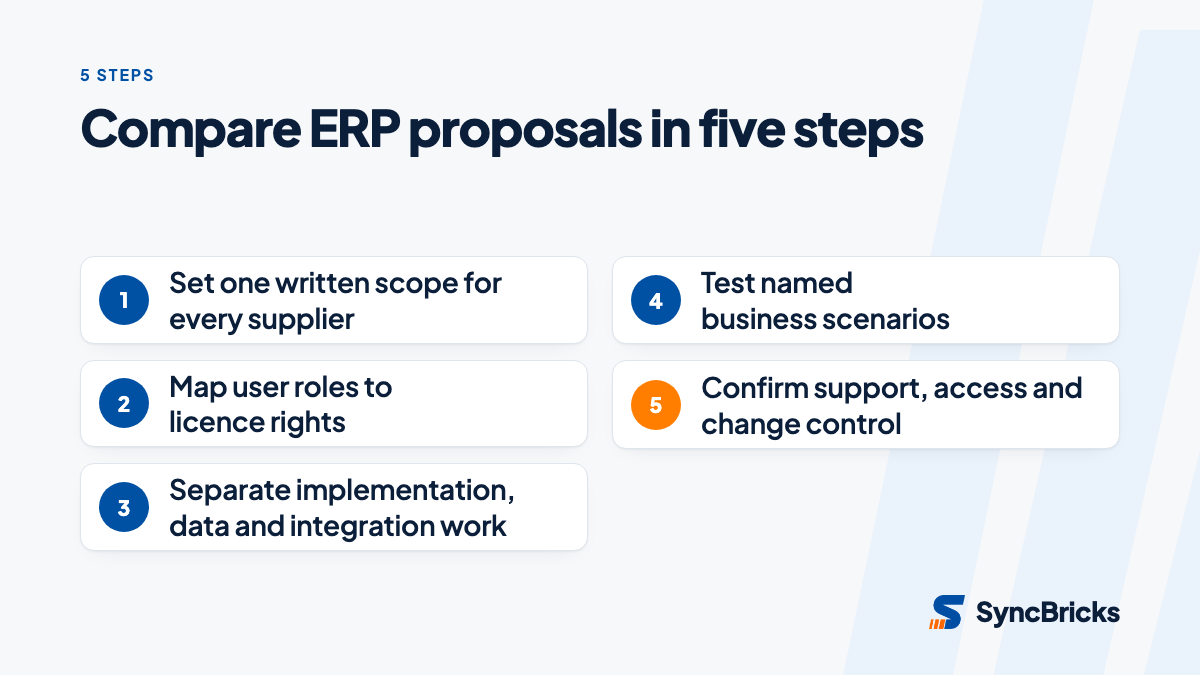
Normalise proposals before judging them. Give each vendor the same written requirements, volumes, users, integrations and target processes. Bring every response into one buyer-owned scorecard.
| Comparison point | Evidence to request | Risk if unclear |
|---|---|---|
| Go-live outcome | Process and module scope list | Suppliers may be pricing different outcomes. |
| User access | Role-by-role licence schedule | Recurring fees may not match actual needs. |
| Data migration | Inventory and reconciliation approach | Opening balances or historical access can be missed. |
| Integrations | Register and responsibility matrix | Unpriced technical work can appear later. |
| Testing | Test plan and acceptance criteria | A project can finish without proof that key workflows work. |
| Post-launch support | Hypercare and ongoing support description | Teams can be unclear about fixes and future changes. |
Score proposals separately for functional fit, delivery confidence, internal effort, recurring terms and future change. A low score is not automatically disqualifying. It prompts a decision about whether the business accepts the trade-off and whether the proposal can be adjusted.
Do not use a vendor demonstration as the sole evidence of fit. Ask each finalist to show the same nominated scenarios, including exceptions such as a partial delivery, credit, approval rejection or inventory discrepancy. This makes the comparison closer to the way the system will be used.
For more context on connecting a selected system to surrounding applications, read our guide to ERP integration with Xero, CRM and ecommerce.
Making the buying decision
There is no universally cheapest ERP model because cost is tied to scope, user access and change required. A business with straightforward finance and operational workflows may prioritise a limited, clearly defined first phase. A distributor, manufacturer or service business may need a deeper comparison of operational capabilities, integrations and data transition before a subscription figure is meaningful.
The useful decision is not "which quote is lowest?" It is "which proposal delivers the agreed priority workflows with risks and responsibilities we understand?" If a requirement is important but absent from the quote, include it, defer it deliberately, or choose a different solution. Leaving it ambiguous is not a saving.
Before committing, conduct a structured review of the licence schedule, scope, assumptions, data plan and support model with finance, operations and IT together. SyncBricks can help Australian businesses translate that review into a practical selection and implementation plan. Talk to our ERP selection team about a vendor-neutral comparison of your requirements and proposals.